Why a coach’s website is different from a salon’s
People go to a salon for a haircut. They come to a coach or counsellor with something that isn’t easy to talk about, and they often hesitate for weeks. On your website they are really looking for an answer to one question: can I trust this person?
That’s why discounts, countdown timers and big “Buy now” buttons don’t work here. Calm, clarity and honesty do. The website should feel like a first conversation, not a flyer.
Step 1: Say what people come to you with
The most common mistake is to lead with the names of methods. Clients aren’t searching for a method, though. They want help with what they’re dealing with right now: a decision, a job change, leading a team, a child’s learning. Use their words, not the words on your certificate.
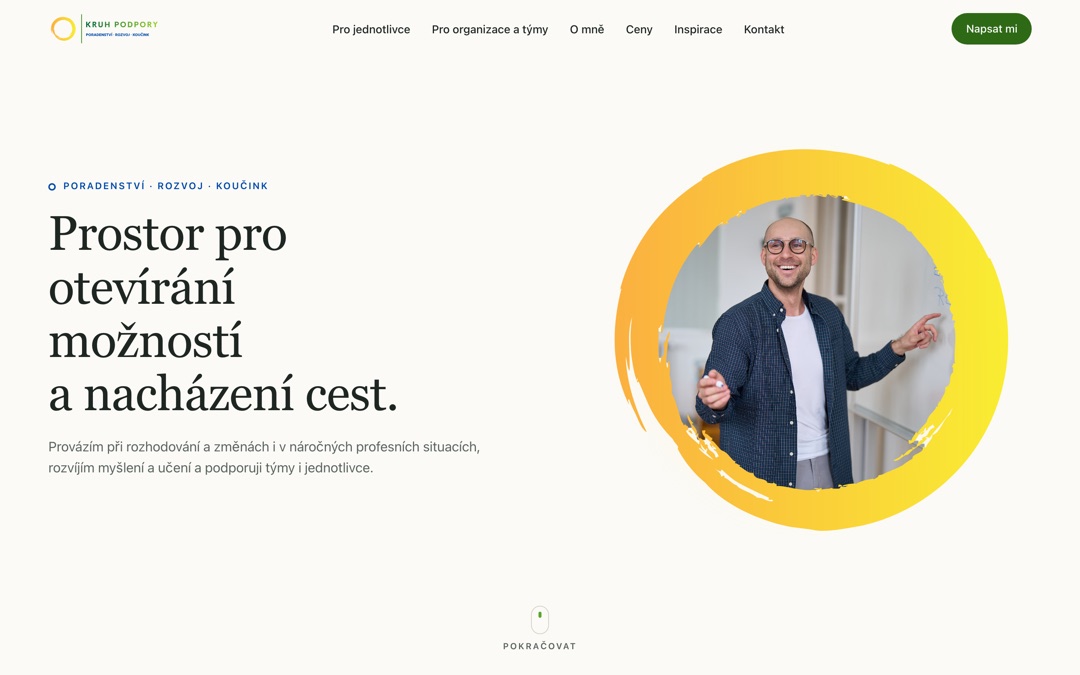
If you work with several groups, split them right at the start. Petr Kopečný’s website has a signpost: For individuals and For organisations and teams. A parent and a head teacher both know where to click within seconds.
Step 2: Show who you are
In this kind of work, you are the main “product”. Your website needs:
- A real photo of you. Ideally at work or where you meet clients. No stock photos.
- A short story. Why you do this work and what brought you to it.
- Education and experience. In plain language, not a row of abbreviations nobody outside your field understands.
- How you work. What happens in the first session and what the client can expect.
Step 3: Write calmly, without sales pressure
Lines like “Change your life in 30 days” tend to put off people in a sensitive situation. They sound like a promise nobody can make. It works better to describe how working together goes and what it can help with, and leave the decision to the client.
A coach’s website should feel like a first conversation, not a flyer. Calm and honesty sell better than promises.
The same goes for the design. Plenty of white space, readable type, a few calm colours. No pop-ups that interrupt someone before they’ve read the first paragraph.
Step 4: Prices and a risk-free first step
Many coaches leave prices off their website. But a client who can’t tell whether a session costs a little or a lot often doesn’t write at all. A clear price list makes it easier to get in touch. Include the session length, the price, how payment works and the cancellation terms.
A small first step helps too. Petr offers a short free online intro call, 20 minutes to clarify the topic. For someone who is hesitating, that’s a much easier decision than booking a full hour.
I wrote more about why a price list pays off in A price list on your website: yes or no?
Step 5: Discreet, simple contact
Keep the contact form short: name, email and a few sentences. Don’t ask people for details of what they’re dealing with; that can wait until you meet. Below the form, say that messages are confidential and link to your privacy policy.
Add your phone number and email next to the form. Some people prefer to call, others write late in the evening. You can offer online booking too, but many counsellors want a short message first, to know whether they can help with the topic at all. Both are fine.
Step 6: What to promise and what not to
Don’t promise results that aren’t in your hands. “I’ll get rid of your anxiety” is a promise; “I’ll guide you through what’s troubling you” is a description of your work. And if you don’t provide healthcare services, say so clearly. Petr’s website states that his services are counselling, development and coaching, not healthcare. Clients know what to expect.
Step 7: Articles and Google
People search for things like “coach Brno” or “career counselling online”. Three things help:
- A Google Business Profile. It’s free and the fastest way for people nearby to find you. See How to set up your Google Business Profile.
- A separate page for each group of clients, so Google knows who you help.
- Articles. They show how you think before anyone meets you. Petr’s website has an Inspiration section with short reflective pieces.
How to do it without the stress
You can put a website together yourself with a site builder (Webnode, Wix). It’s cheap, but it takes time and you pay every month. Or you can have a custom website built. I prepare the copy and structure with you, advise on photos and handle the whole launch.
If you want to edit texts and articles yourself, the website can come with a simple admin. Petr logs in, changes a text, adds an article or reads messages from the form. I go through the whole project in the Kruh podpory case study.